
Clickable links and paths
Ctrl-click (Cmd-click on macOS) opens a URL in the browser, or a file path in your editor, at the line from a Foo.java:42:7. A path is a link only if the file exists.
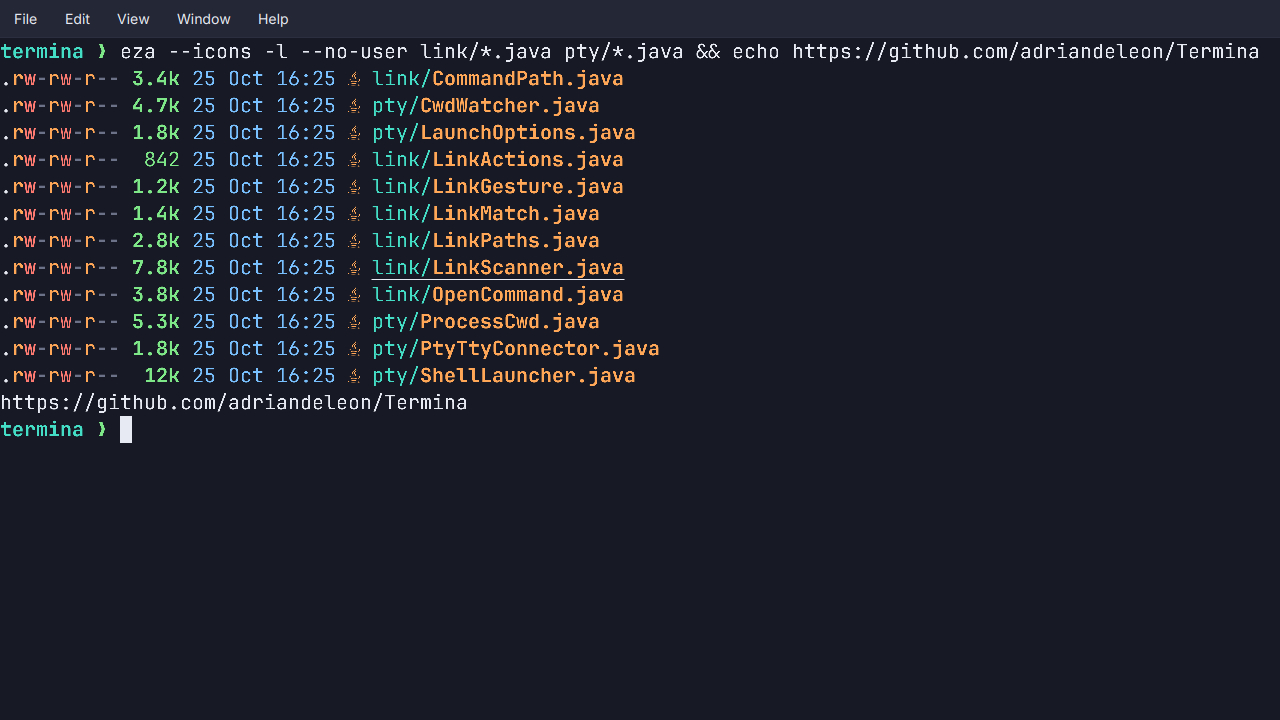
- URLs open in the browser. Only
http,https,ftp,ftps,fileandmailtoare opened, since terminal output is untrusted text. A URL that wraps at the right edge is one link. - Paths open the file, and only paths that exist are links, resolved against that tab’s own directory. A bare filename out of
ls, a relative path in a build’s output and~/notes.txtall work, and ordinary words never underline. - Positions.
file:lineandfile:line:columnfrom a compiler error or a stack trace reach your editor through Settings → Terminal → Links → Open files with, such aseditor {file}:{line}. - It shows itself. Hold the modifier and the link under the pointer underlines and the pointer becomes a hand. Right-click a link for Open Link and Copy Link Address, with no modifier at all.
Relative paths are not links on Windows yet, where a shell’s directory cannot be read. See Links.