
Termina
One terminal for every desktop
A terminal emulator for macOS, Windows and Linux. A real shell on a real pseudo-terminal, xterm emulation by JetBrains' JediTerm, every shell the machine has one click away, and paths in the output that open the file. Ctrl stays the shell's. No account, no telemetry.
The command palette over a shell, in the colours of the theme you pick above. Every menu command is in it, with its key.
A look at the window
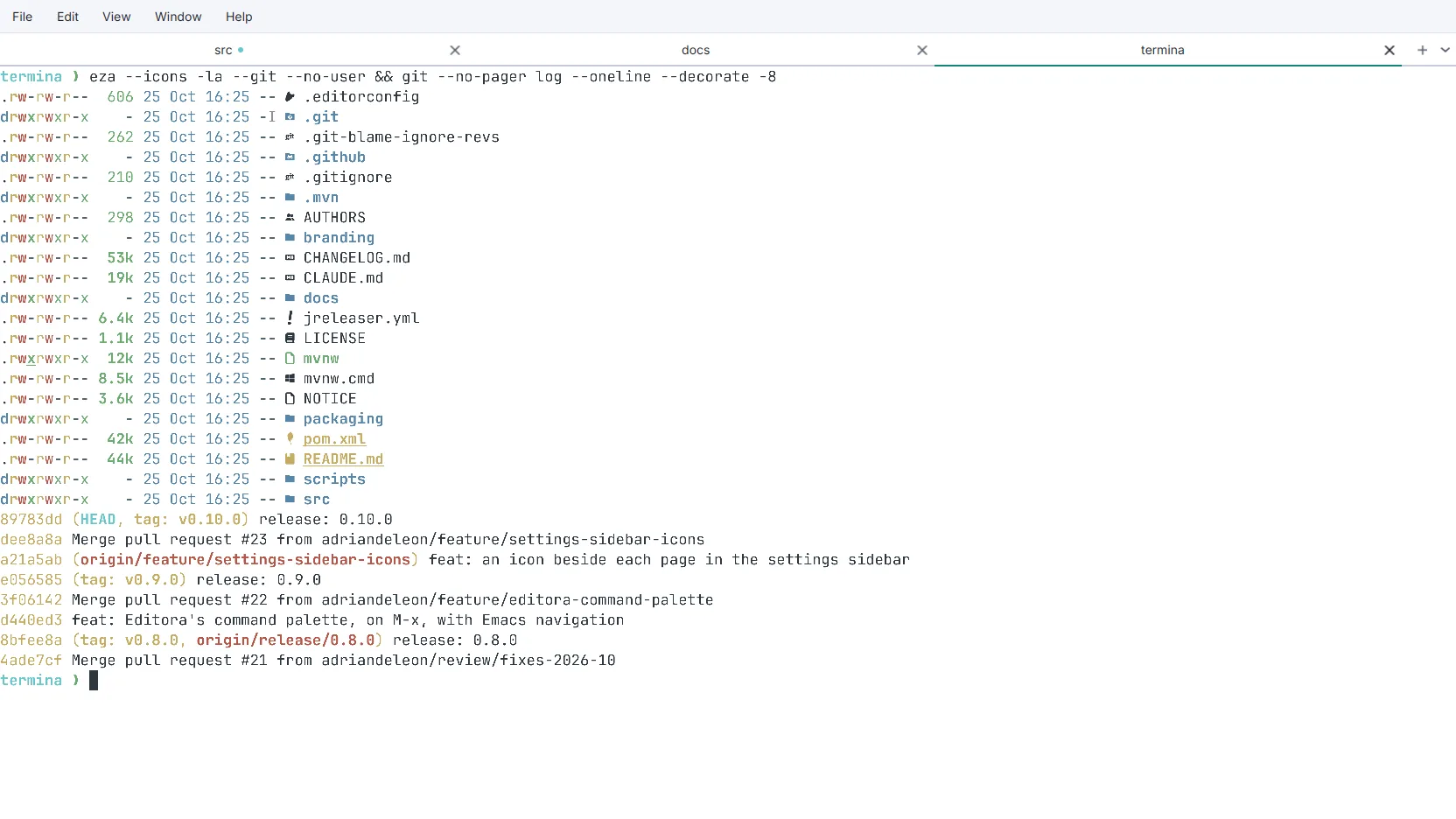
The real thing: tabs that tile the width and are named after where
each shell is, a dot on the one where something happened, and
eza's colours and Nerd Font icons drawn on the cell
grid. Nothing else is in the way.

Why Termina
One terminal that looks and behaves the same on all three desktops, and that never takes a key the shell was using.
The shell keeps its keys
Ctrl+W deletes a word and Ctrl+T transposes, so Termina's own chords are Ctrl+Shift on Linux and Windows and ⌘ on a Mac. Alt works as Meta, including Option on macOS, and AltGr still composes.
Every shell it can find
Both PowerShells, Command Prompt, Git Bash and each WSL distribution on
Windows; the shells in /etc/shells and on the path
elsewhere. Found rather than configured and never written down, so
each is a profile a new tab can open as the day it is installed.
Yours, quietly
No account, no ads, no telemetry. The one request it makes is a daily look at GitHub for a newer release, which one setting turns off. Settings are a plain file you can read and edit, and every change applies the moment you make it.
Three layers, two of them not ours
xterm compatibility is a long tail of cursor modes, character sets, scroll
regions and four mouse wire formats, so the emulator is JetBrains'
JediTerm, the one inside
IntelliJ. The pseudo-terminal is pty4j:
forkpty on macOS and Linux, ConPTY on Windows. What is Termina's
is everything you see and press: a JavaFX renderer that paints once a frame
however fast the output arrives, and a key encoder that leaves dead keys,
AltGr and input methods working. Read the docs.
Download Termina Free and open source, for macOS, Windows and Linux.
What's new
The highlights of 0.10.0 and the releases just before it. See the changelog for everything.
- Termina 0.10.0 : Out for macOS (Apple Silicon and Intel), Windows (x64) and Linux (x64 and ARM64), each installer with its own Java runtime.
- Icons in Settings : Each page of the settings sidebar has a glyph, muted at rest and in the accent colour when its page is open.
- Editora's command palette : Since 0.9.0: the same matcher and ranking, Emacs keys to drive it, Alt+X to open it, and the chord is a setting.
- The menu bar in the title bar : Since 0.8.0: one row for the menus, the title and the window buttons, on Linux and Windows.
- Tabs that remember : Since 0.8.0: rename a tab, reopen one you closed, duplicate one where it is, and see a dot when a background tab has news.
- A paste that asks : Since 0.8.0: a paste with a line break shows what it will send first, and control characters are stripped from every paste.
In development
- Split panes : Another shell beside or below the one you are in, in the same directory.
- Find in the scrollback : Every match highlighted as you type, smart case, regular expressions.
- Shell integration : Jump between prompts, select the last command's output, and a mark beside a command that failed (OSC 133).
- Every shortcut rebindable : A Keyboard page in Settings, and the bindings synced between computers through a Git repository of yours.
- What programs ask for : Declared links (OSC 8), copying to the clipboard over SSH (OSC 52), and type-ahead on a slow SSH link.
- Icons without a Nerd Font : Symbols Nerd Font Mono bundled, so
eza --iconsdraws right on any machine.
Features
The terminal
A real shell
Your own shell on a real pseudo-terminal: forkpty on macOS and Linux, ConPTY on Windows. Started as a login shell, so PATH is what it is everywhere else.
xterm compatibility
Emulation by JetBrains' JediTerm, so vim, htop and less behave: mouse reporting in all four wire formats, application cursor keys, 256 colors and 24-bit color, and double-width characters.
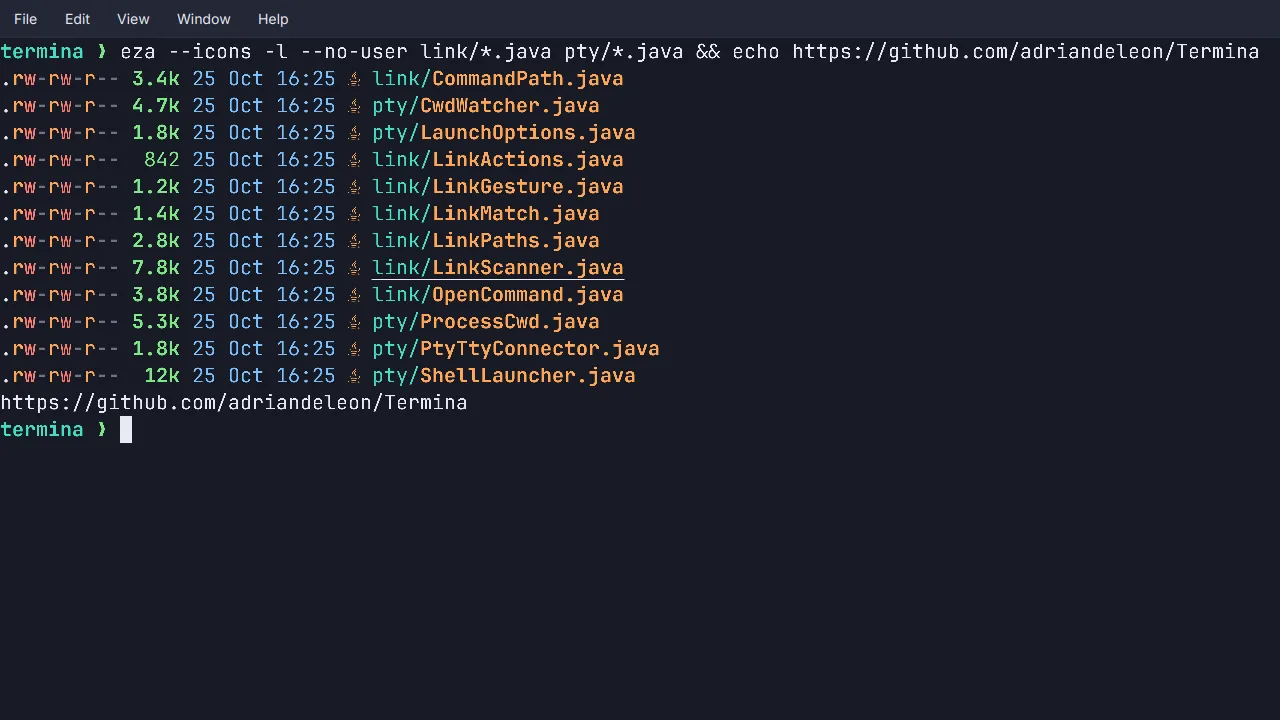
Clickable links and paths
Ctrl-click (Cmd-click on macOS) opens a URL in the browser, or a file path in your editor, at the line from a Foo.java:42:7. A path is a link only if the file exists.
Selection and safe paste
Drag, double-click for a word, triple-click for a line, and Shift to select inside a program that owns the mouse. A paste with a line break shows you what it will run first.
Bundled fonts
Five monospace families ship inside the app, with JetBrains Mono the default, and Inter for the interface, so a terminal looks the same on every machine. Zoom is separate from the size you chose.
Tabs & windows
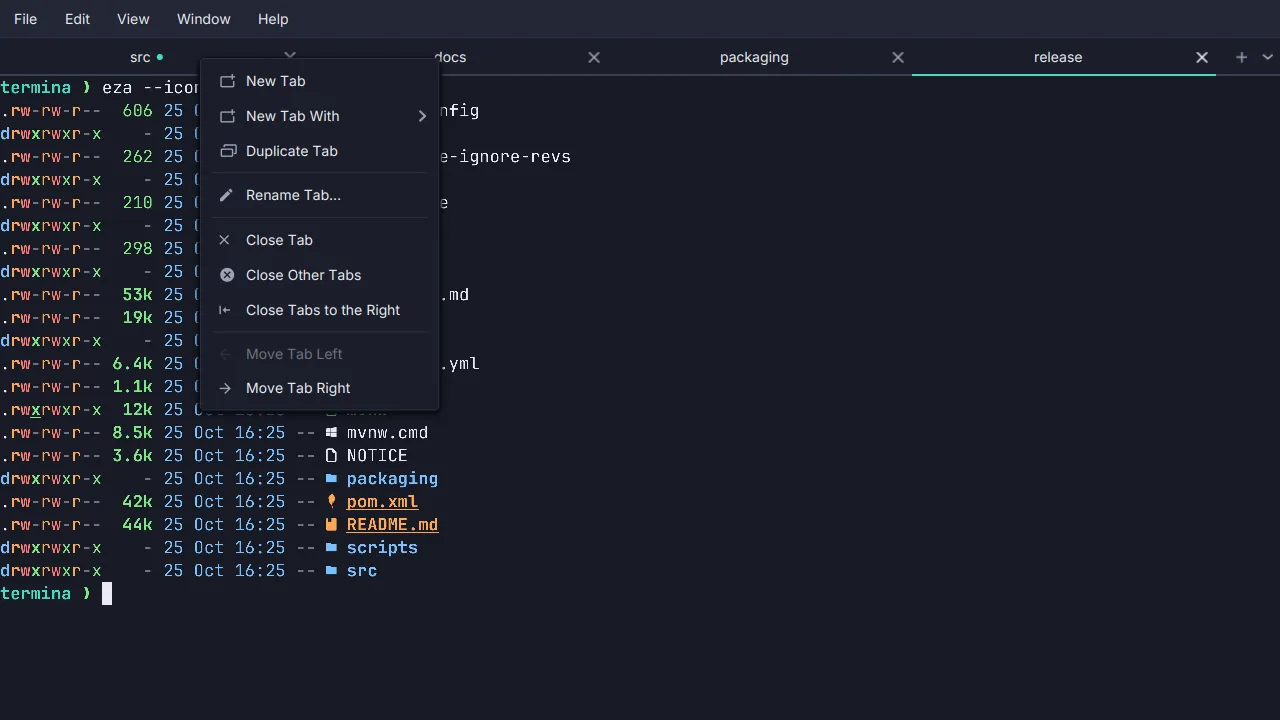
Tabs
Tabs that tile the window, hide when there is only one, and can be dragged, renamed, duplicated and reopened. A dot says when something happened in a tab you are not looking at.
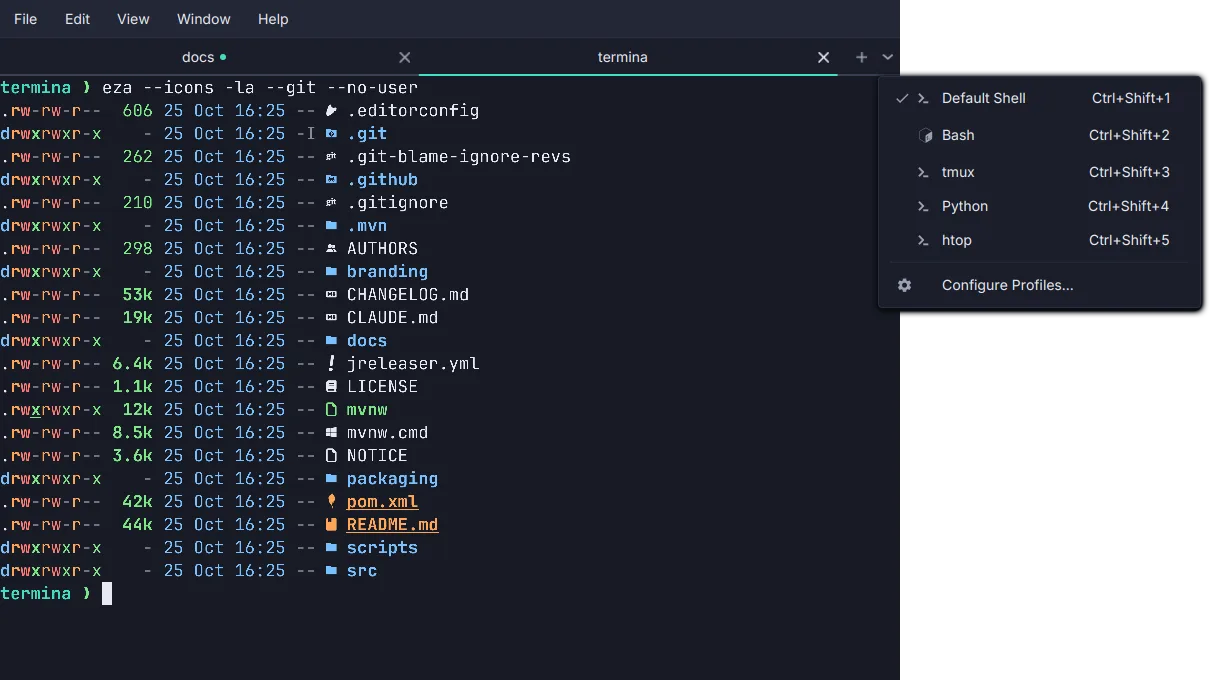
Shell profiles
Every shell the machine has, found rather than configured: zsh, bash, fish and the rest on macOS and Linux; PowerShell, Command Prompt, Git Bash and each WSL distribution on Windows. Ctrl+Shift+1…9 open them.
Titles that say where you are
Tabs and the title bar show the shell's directory, read from the operating system rather than from your prompt, and the program running. A new tab opens where the current one is.
The menu bar in the title bar
One row for the menus, the window title and the window buttons, so the terminal gains a line. Or hide the menu bar with Ctrl+Shift+M. On macOS the menus are in the screen menu bar.
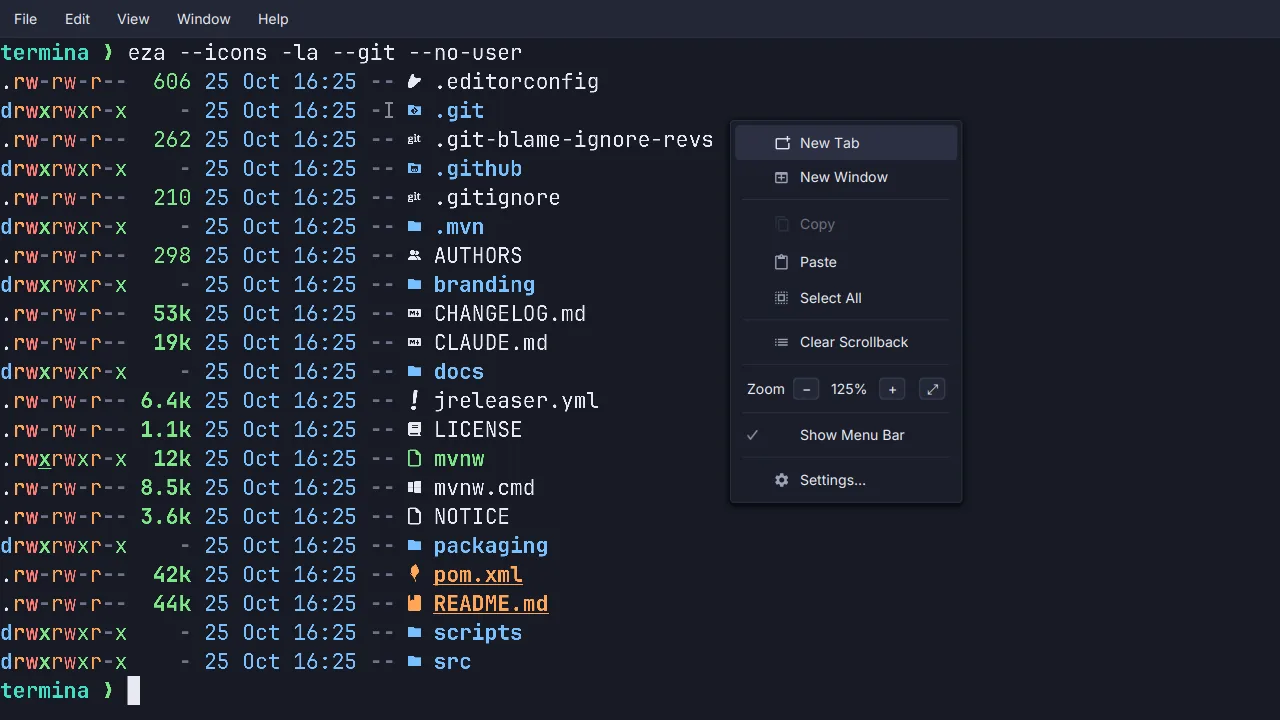
Zoom and full screen
Zoom as a browser does it: one row reading − 110% + in the View and right-click menus, Firefox's steps from 30% to 300%, and Ctrl+= / Ctrl+- / Ctrl+0. Full screen on F11.
Keyboard
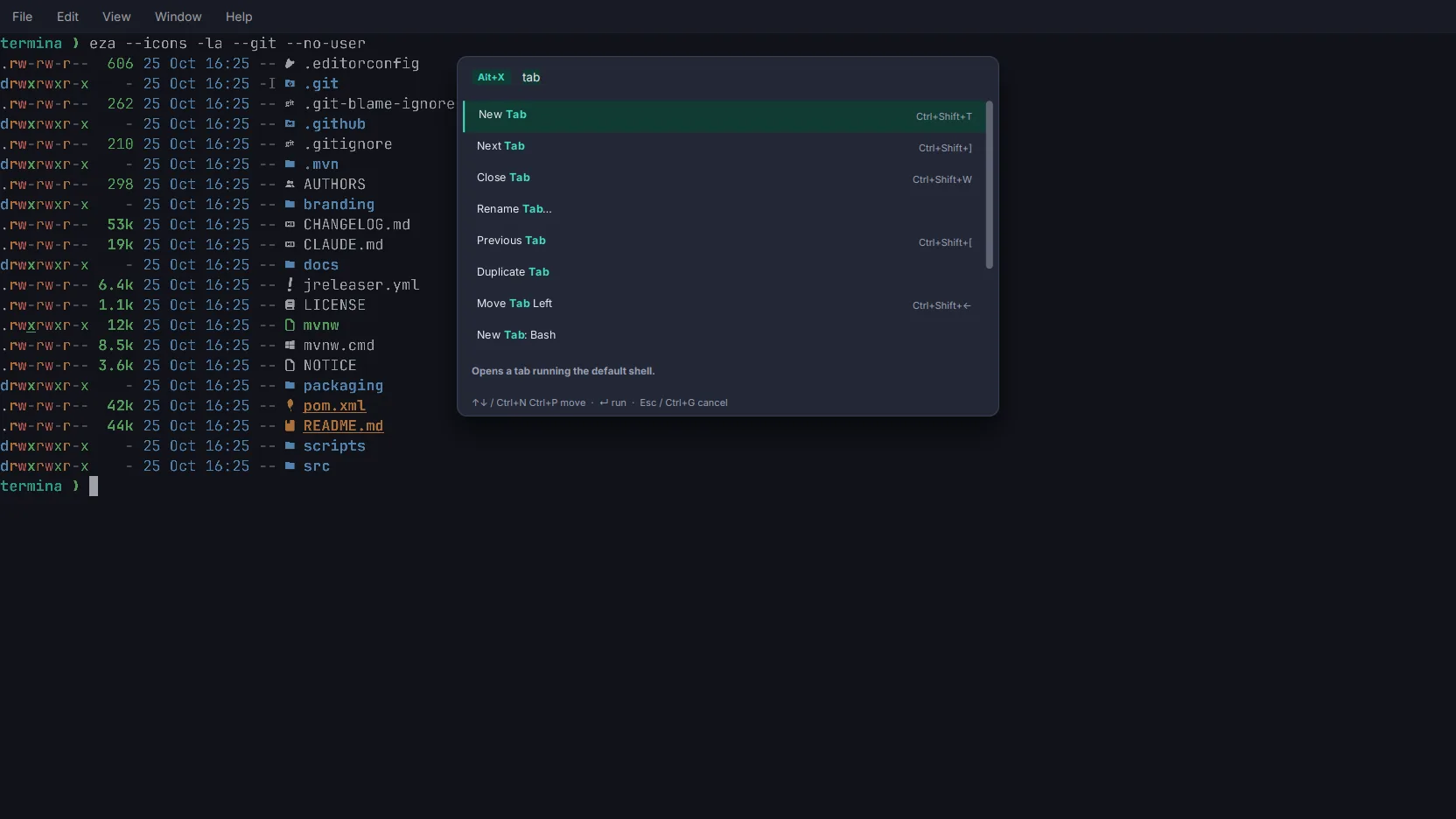
Command palette
Every command, open tab, shell profile and theme, found by typing part of its name: Alt+X, as Emacs's M-x. Each row shows its chord, so the palette teaches the keys as you use it.
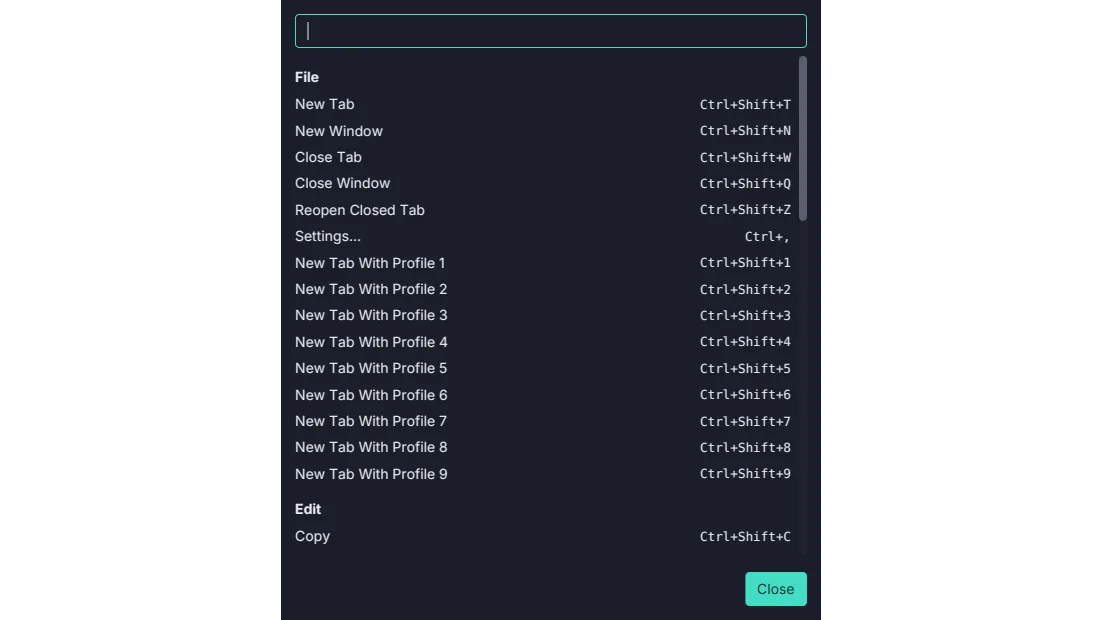
Keyboard shortcuts
Application chords that leave the shell its keys: Ctrl+Shift+T on Linux and Windows, Cmd+T on macOS. Help → Keyboard Shortcuts lists every one of them, searchable.
Keys that reach the shell
A Meta key that works, Option on macOS included, AltGr left alone for the layouts that need it, and the scrollback and paste keys a Linux hand reaches for.
Make it yours
Themes and fonts
Editora Dark and Light, and macOS Terminal's Clear Dark and Clear Light decoded from Apple's own profiles. Five bundled monospace fonts, so the terminal looks the same on every platform.
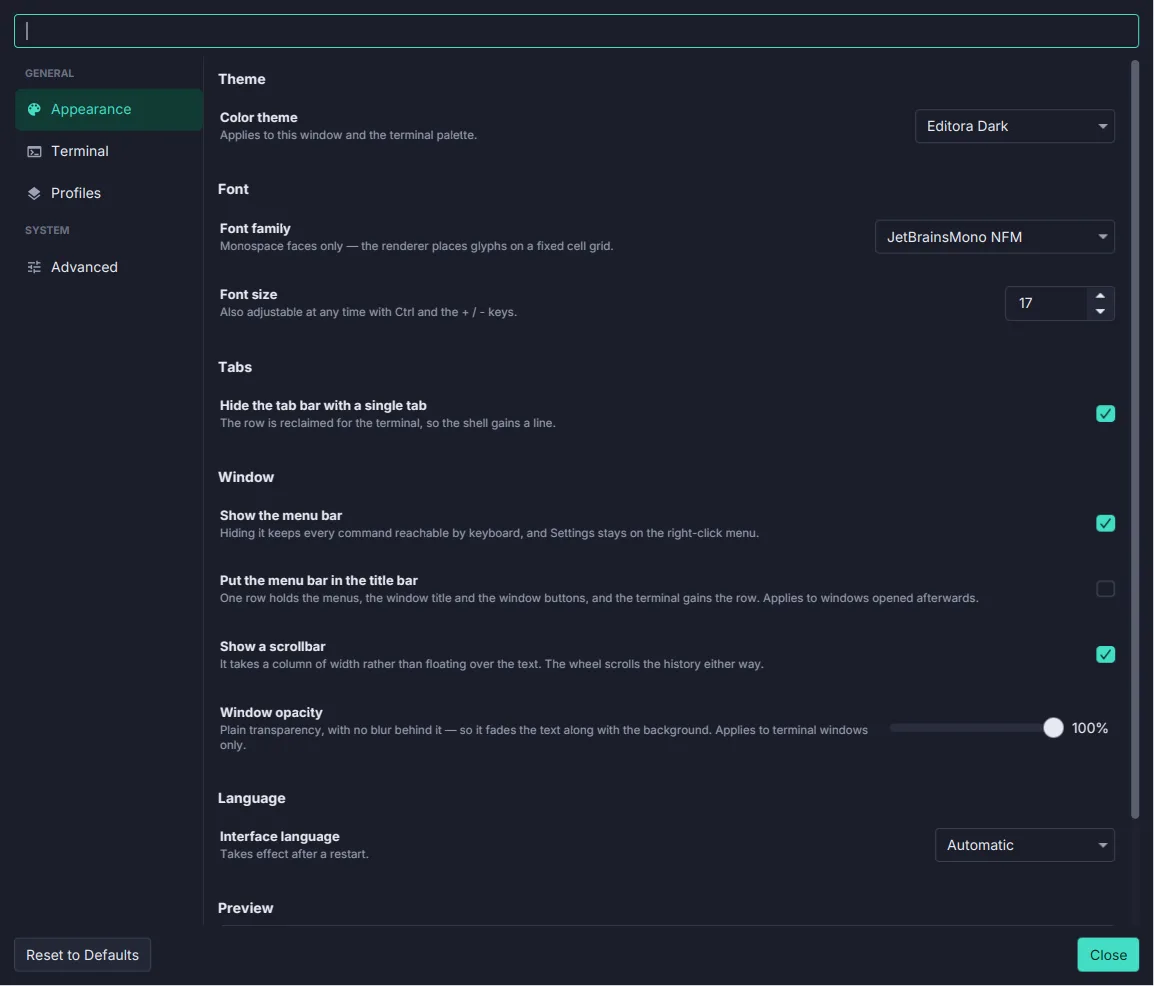
Settings that apply live
A Settings window with no OK button: every control applies as it changes. A search box over every row, and a plain settings.properties you can edit by hand.
Six languages
English, Italiano, Español, Français, Português and Deutsch, or whatever the operating system speaks.
Your desktop
Native installers
A .dmg for Apple Silicon and Intel Macs, an .msi for Windows, and .deb and .rpm packages for Linux on x64 and arm64, each with its own Java runtime.
A command line
termina -e htop runs a program in place of the shell, -d picks the directory, and --config-dir keeps a second set of settings.
Private by default
No account and no telemetry. The one request Termina makes on its own is a daily update check against GitHub's releases, and one switch turns it off.
Keys that stay out of the way
Each chord is declared once, on the command, so the menus, the palette and the shortcut reference can never disagree. A few to start with:
- Command Palette… Alt+X
- New Tab Ctrl+Shift+T
- Close Tab Ctrl+Shift+W
- Reopen Closed Tab Ctrl+Shift+Z
- Copy Ctrl+Shift+C
- Paste Ctrl+Shift+V
- Next Tab Ctrl+Shift+]
- Go to Tab 1–9 (9 is the last) Alt+1…9
- Zoom In Ctrl+=
- Full Screen F11
- Settings… Ctrl+,
- Keyboard Shortcuts… Ctrl+Shift+/
Download
Native installers for macOS, Windows and Linux are attached to each release. Each bundles its own Java runtime, so there is nothing else to install.
On Linux, install with sudo apt install ./Termina-*.deb or
sudo dnf install ./Termina-*.rpm. The package adds Termina to
the application menu as a terminal emulator.
Installers are currently unsigned. On macOS the first launch is blocked: open System Settings → Privacy & Security and click Open Anyway. On Windows, if SmartScreen appears, choose More info → Run anyway. Each release lists SHA-256 checksums.
Build & run from source
Requires JDK 25. A Maven wrapper is bundled, so no local Maven install is needed.
# Clone
git clone https://github.com/adriandeleon/Termina.git
cd Termina

# Run the app
./mvnw javafx:run

# Tests, the formatter check and the coverage floors
./mvnw verify

# A self-contained app image in target/dist (clean is required)
./mvnw clean -Pdist -DskipTests package
Built in the open with the help of AI coding tools. Every change lands as a reviewed, tested commit on GitHub.