
The omnibox
One box above the list (Ctrl+K) that filters by name or by state:seeding, size>4g, added<7d; runs a command after >; and adds a magnet you paste into it.
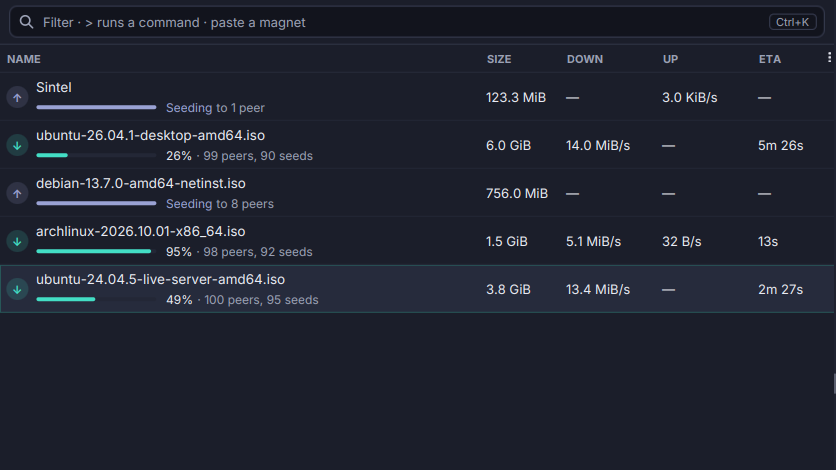
The filter box is an omnibox. Words filter the list by name as you type, and a key:value term becomes a chip the moment you type the space after it.
- Terms such as
state:seeding,cat:Films,tag:keep,-tag:keep,ratio<1,size>4g,added<7d,tracker:hostandhash:7a3f. A term the box cannot read becomes a red chip that says why. - Chips are editable.
Backspaceon an empty box hands the last chip back as text; a click removes one. >runs a command: the palette opens with what you typed after it.- A pasted magnet,
.torrentlink or path opens the Add dialog. Enterselects every match and returns to the list, so the next key (Space,Delete,Ctrl+Shift+G…) acts on all of them.Escpeels one layer at a time: the box, then the list’s filter, then the selection.
Ctrl+F reaches the box too.