Command palette
Every command, open tab, shell profile and theme, found by typing part of its name: Alt+X, as Emacs's M-x. Each row shows its chord, so the palette teaches the keys as you use it.
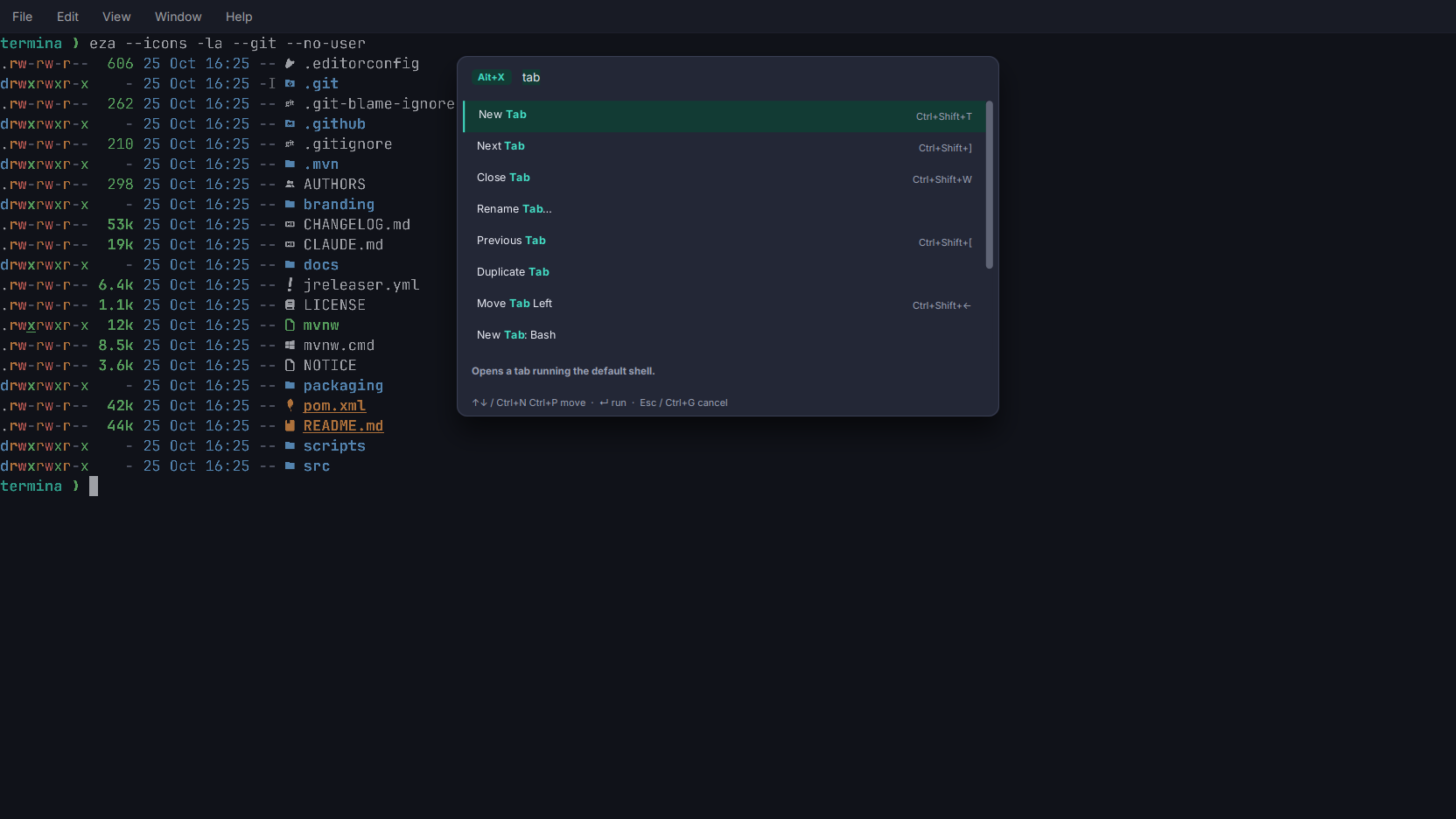
The palette is Editora’s, ported: the same card, the same matcher and ranking, and the same Emacs keys.
- Type part of a name. “nw” finds New Window, “tab close” finds Close Tab with the words in either order, and “file new” reaches New Tab through the menu it lives in. The matched letters are bold, and a line under the list says what the highlighted command does.
- More than the menus. Every open tab is listed by its title, with the chord that reaches it; every shell profile as “New Tab: zsh”; every theme as “Theme: Clear Light”.
- Greyed, not hidden. A command that cannot run right now, such as Reopen Closed Tab with nothing closed, stays in the list with the reason as its tooltip, and the cursor steps over it.
- Emacs keys.
Ctrl+NandCtrl+Pmove,Ctrl+VandAlt+Vpage,Ctrl+Gcancels, and the query field takesCtrl+A,Ctrl+E,Ctrl+Kand the rest. The arrows,EnterandEscwork too. - Your chord. Settings → Terminal → Keyboard takes another one: click the field and press it. A bare key is refused, since the shell owns it, and so is a chord another command already has.
The commands are the menu bar’s own actions, not a separate list, so the palette and the menus cannot disagree. See Keyboard.