
Keyboard shortcuts
Application chords that leave the shell its keys: Ctrl+Shift+T on Linux and Windows, Cmd+T on macOS. Help → Keyboard Shortcuts lists every one of them, searchable.
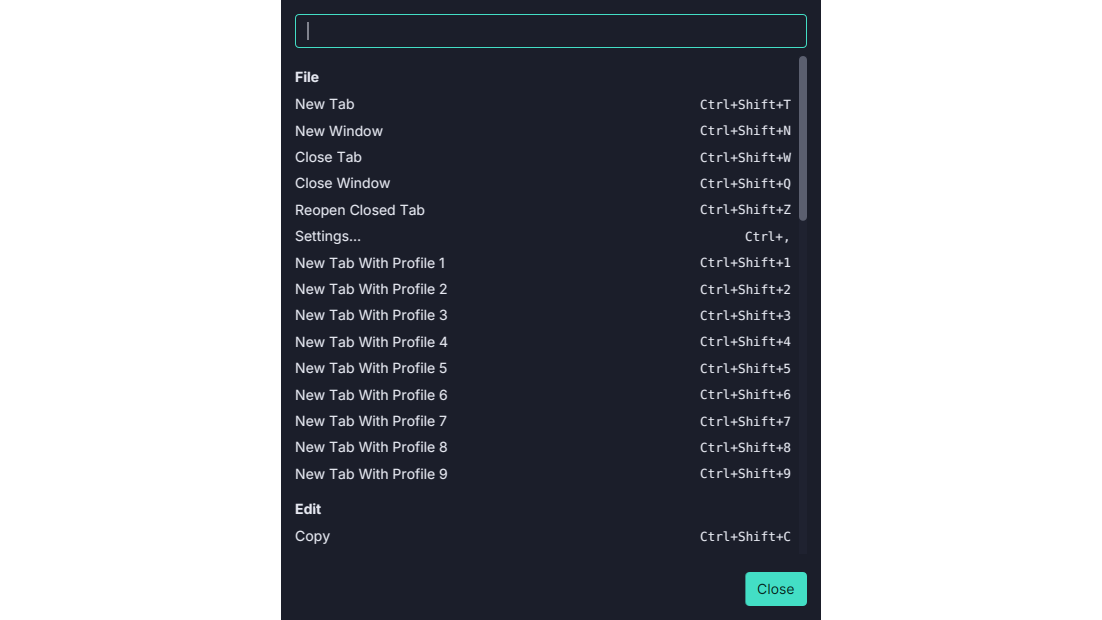
Ctrl+Shift, neverCtrl, off macOS.Ctrl+Tis readline’s transpose,Ctrl+Wdeletes a word andCtrl+Cis SIGINT, so Termina’s chords add Shift:Ctrl+Shift+Tfor New Tab,Ctrl+Shift+CandCtrl+Shift+Vto copy and paste. On macOS they areCmdchords, which a shell never sees.- A searchable reference. Help → Keyboard Shortcuts (
Ctrl+Shift+/,Cmd+/on macOS) lists every chord the window answers to, grouped by menu, with a search box. - Generated, not typed. The reference is built from the window’s own binding table, so it cannot list a chord that does nothing. It also lists the keys the terminal handles itself:
Shift+PageUpand friends,Shift+Insert,Ctrl+Insert, middle-click, the link modifier,Shift+drag, and double-clicking a tab to rename it. - One chord per command. A chord is declared once, with its menu item, and the chord table is tested for duplicates on every platform, so a menu can never advertise a key that a different command takes.
- They work without the menu bar. The chords are handled by the window ahead of the terminal, so hiding the menu bar strands nothing.
The keybindings page has the full table. See Keyboard.